


Иногда при внесении депозитов/вывода средств в определенных валютах, таких как MOBI, XLM, BTS, GXS, EOS и XRP, требуется написать memo или тег.
Как определить, требуется ли memo или тег?
① При внесении депозита или выводе средств, если вы не видите, что на странице есть поле для memo или тега, то они не требуются для перевода.
② Если вы видите поле для memo или тега на странице, это означает, что требуется memo или тег.
При внесении депозита с других платформ или кошельков на Gate, пожалуйста, заполните memo или тег, если это необходимо, чтобы нам было легче подтвердить депозит. Может случиться так, что средства не поступят на адрес получателя, если требуемые memo или тег останутся пустыми.
Как внести депозит в приложении: (внесение XLM с Wallet.io на Gate в качестве примера)
Шаг 1: Откройте свой кошелек на Wallet.io. Нажмите на значок "+" в правом верхнем углу, чтобы добавить новые монеты в список монет.
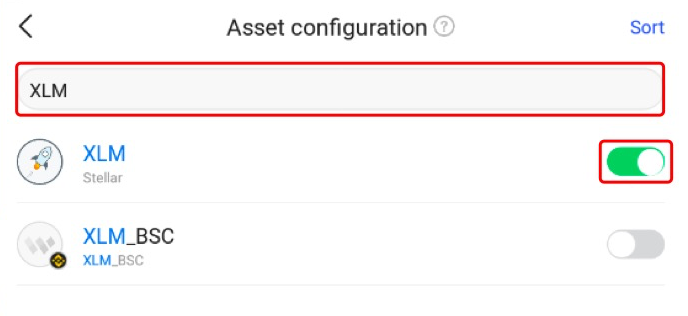
Шаг 2: Найдите “XLM" и добавьте его в конфигурации.
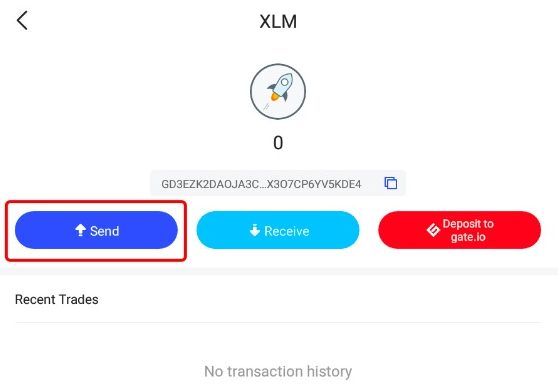
Шаг 3: Перейдите на страницу сведений о XLM. Нажмите на кнопку "Отправить".
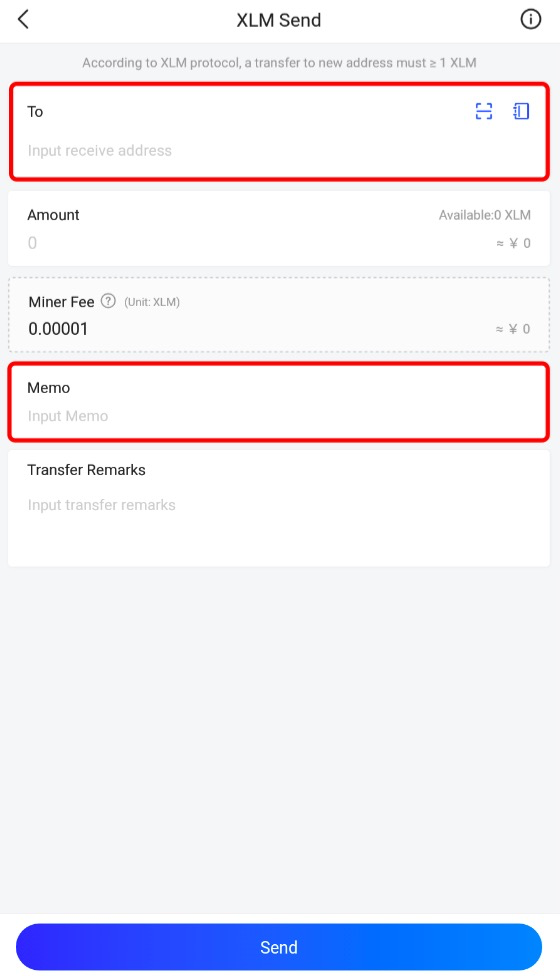
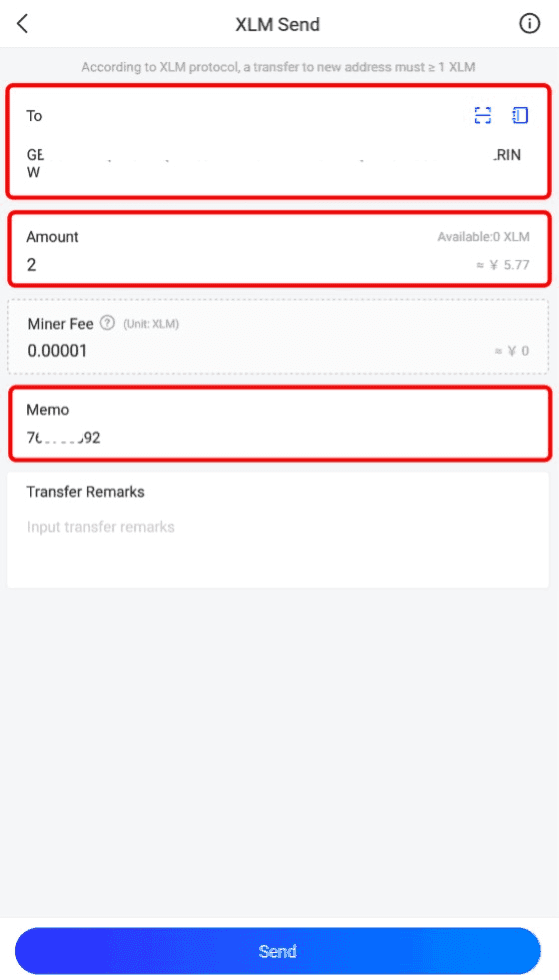
Шаг 4: Введите адрес получателя, сумму депозита и memo.
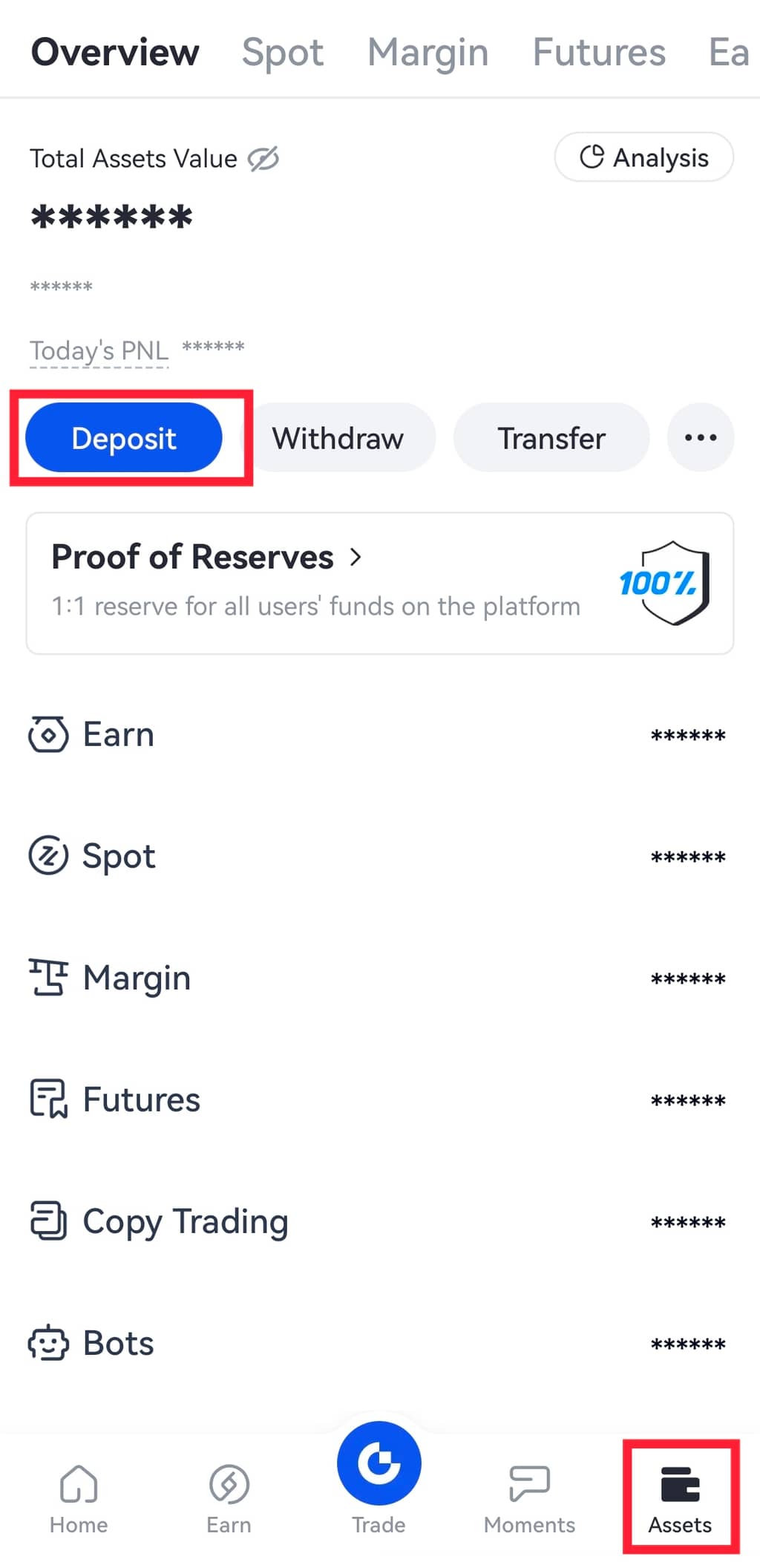
Шаг 5: Откройте мобильное приложение Gate и войдите в свою учетную запись. Перейдите в раздел "Активы" в правом нижнем углу главной страницы и нажмите "Депозит".
Кроме того, вы также можете перейти в раздел "Спот аккаунт". Введите и выполните поиск "XLM". Затем нажмите на кнопку "Депозит".
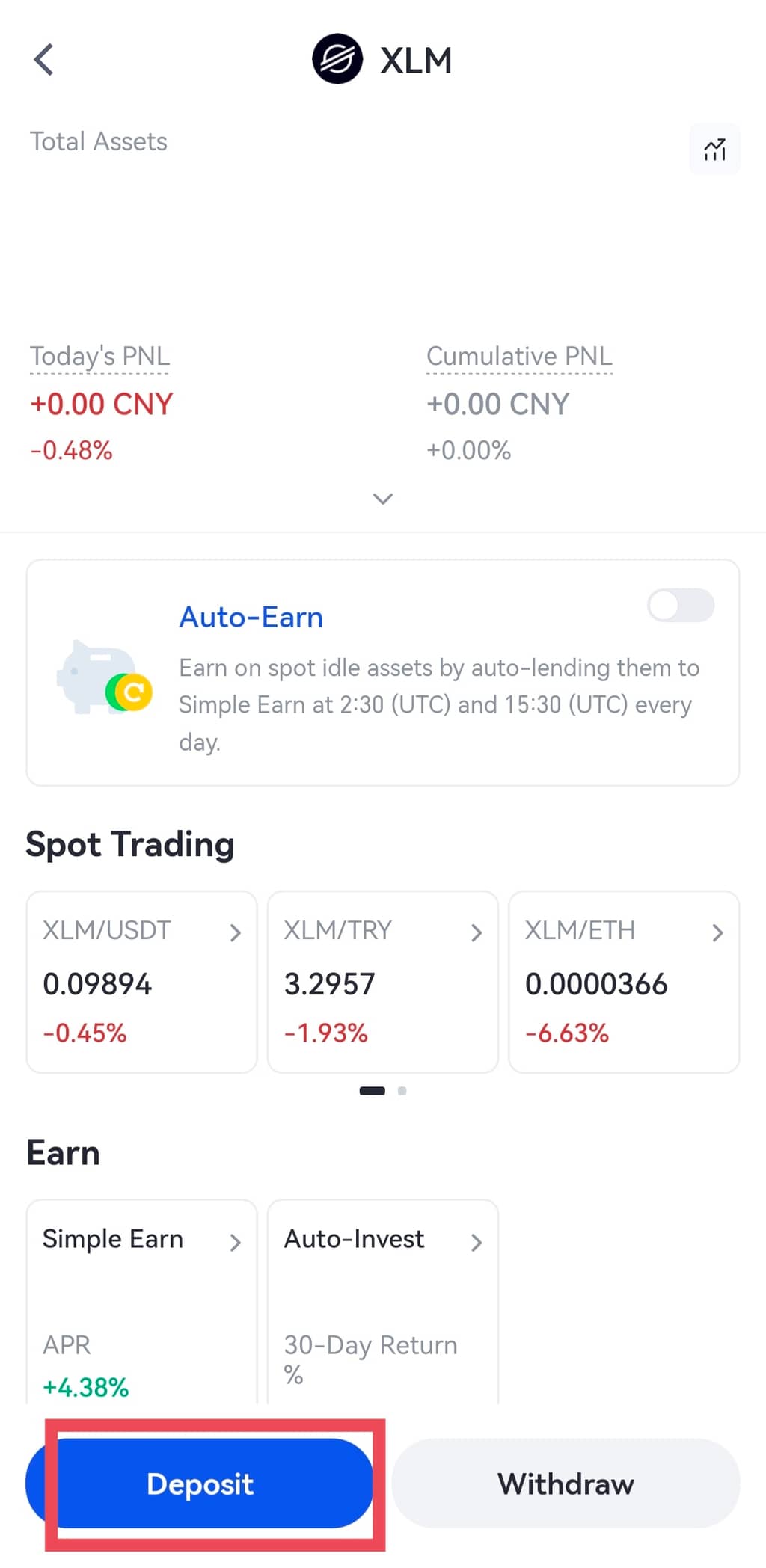
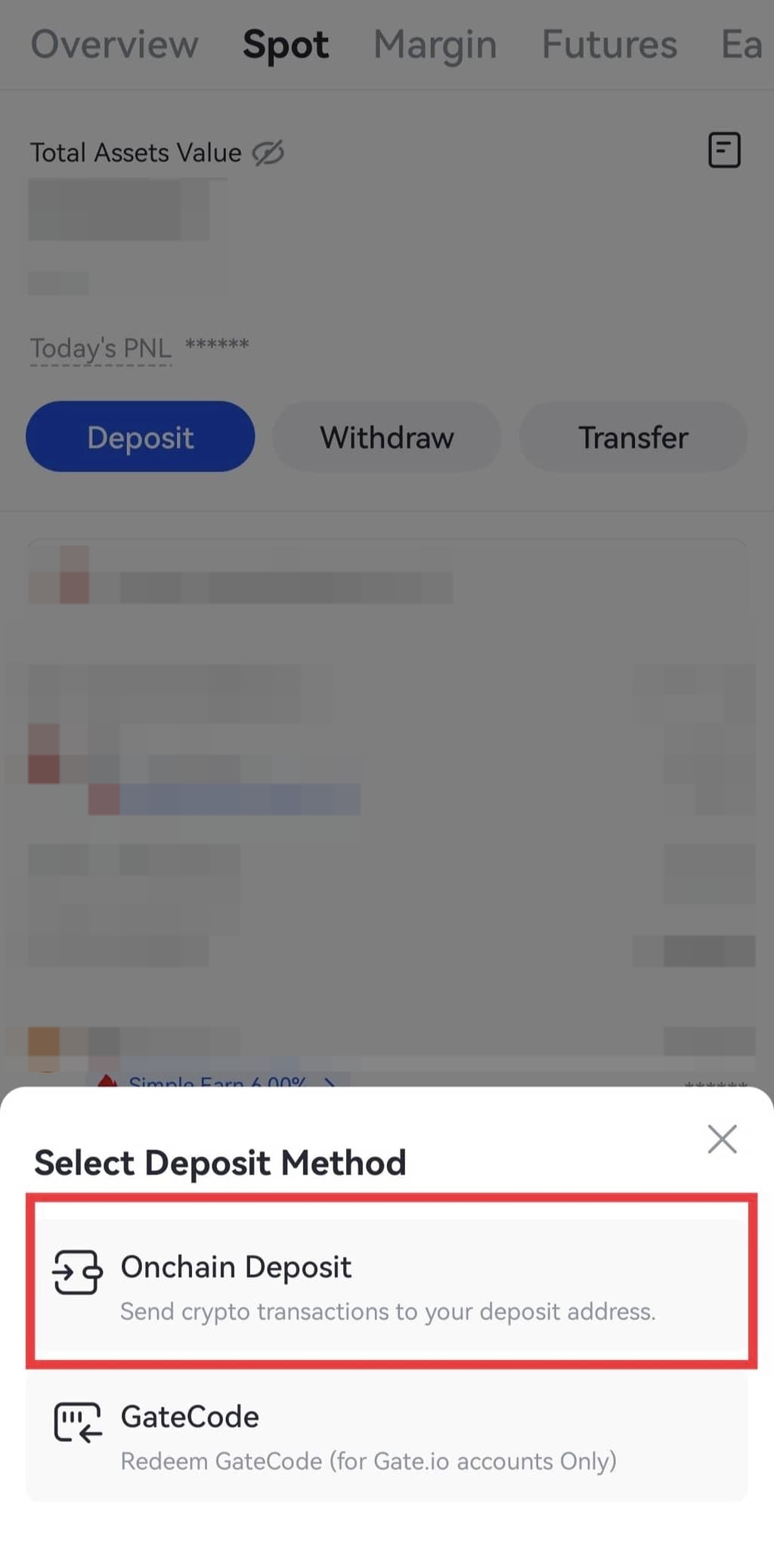
Шаг 6: Нажмите "Депозит ончейн" и выберите сеть депозита.
Шаг 7: Вы увидите адрес и Memo на странице депозита XLM.
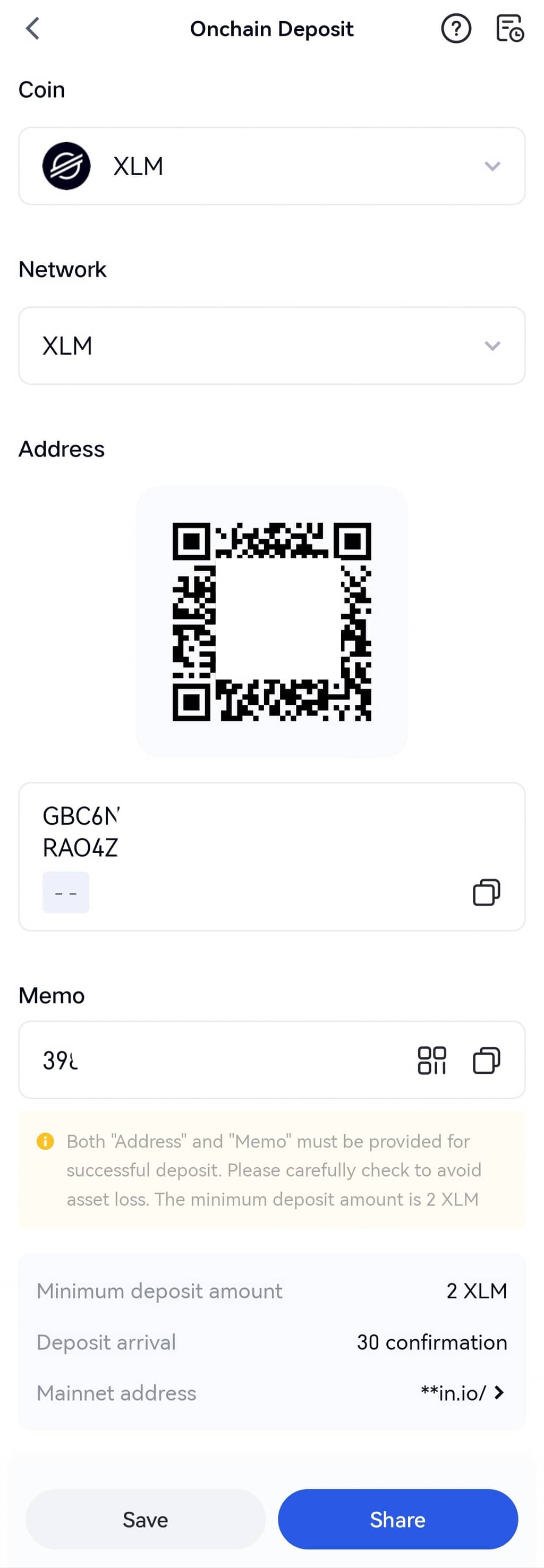
Шаг 8: Скопируйте адрес депозита XLM и memo. Вставьте их на страницу пополнения счета в Wallet.io. Когда сумма пополнения также будет введена, нажмите "Отправить".
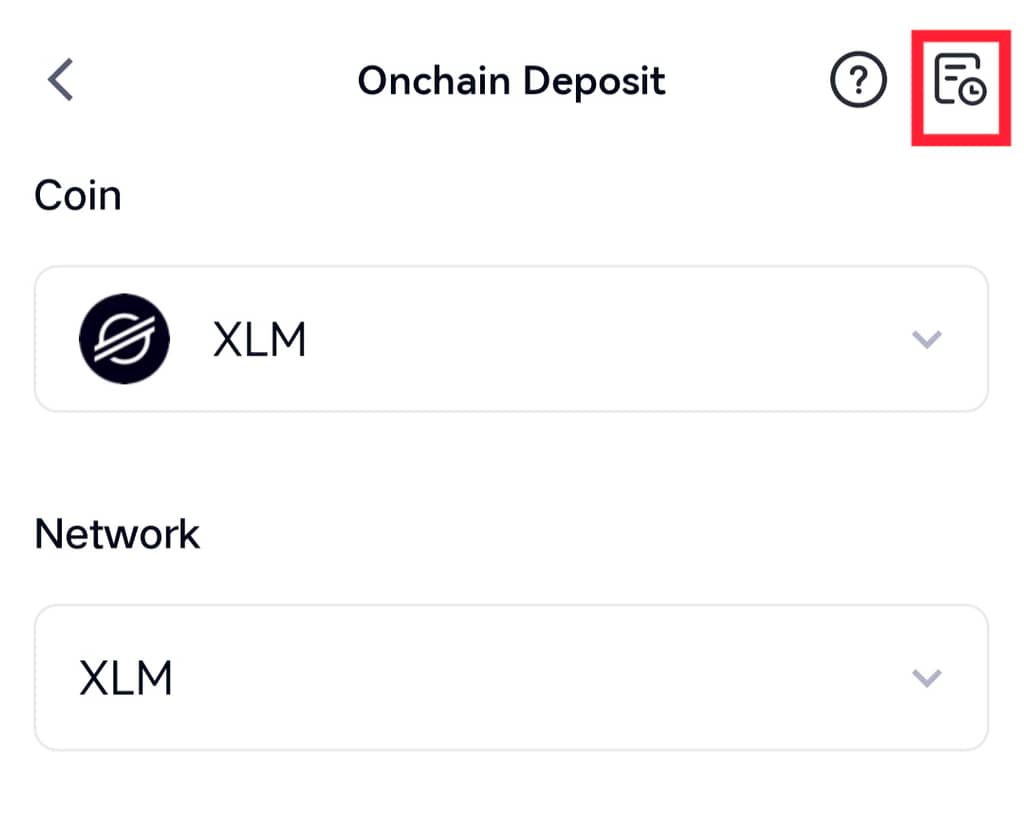
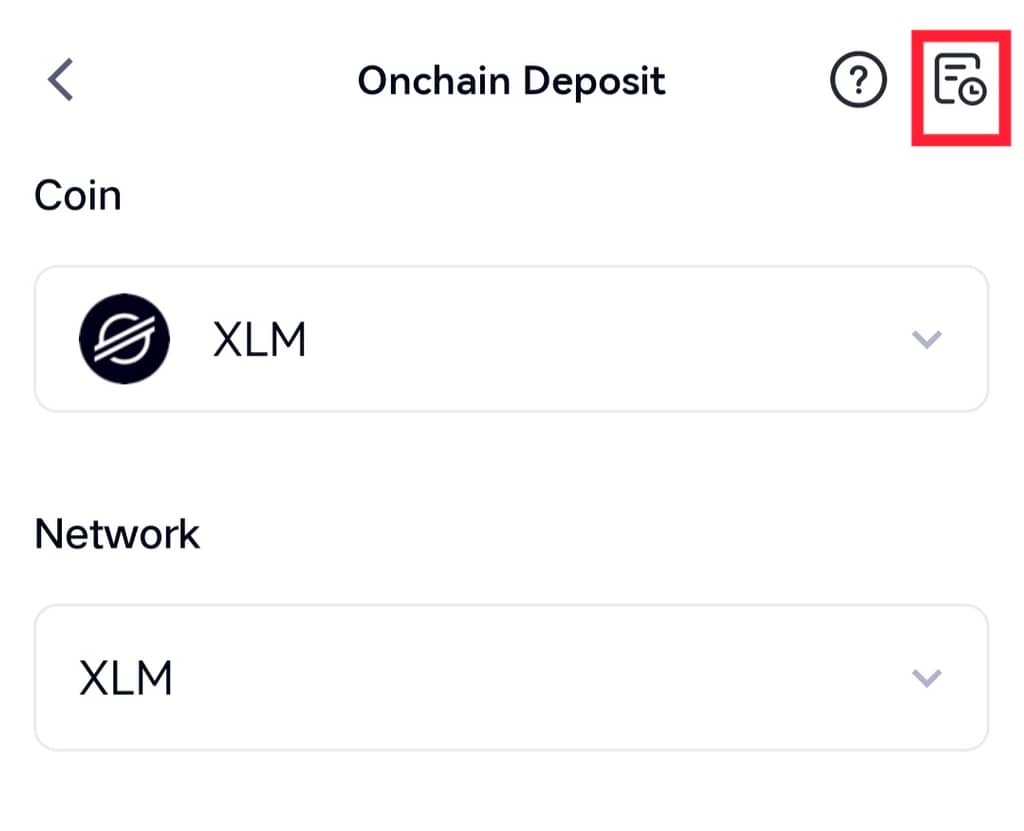
Шаг 9: После завершения внесения депозита вы можете нажать на значок гроссбуха в правом верхнем углу, чтобы просмотреть информацию о депозите.
Как вывести средства в приложении: (вывод XLM в качестве примера)
При выводе средств, если платформе получателя требуется определенный тег или memo, пожалуйста, заполните тег или memo по мере необходимости.
Шаг 1: Откройте мобильное приложение Gate и войдите в свою учетную запись. Перейдите в раздел "Кошельки" и нажмите на кнопку "Вывод".
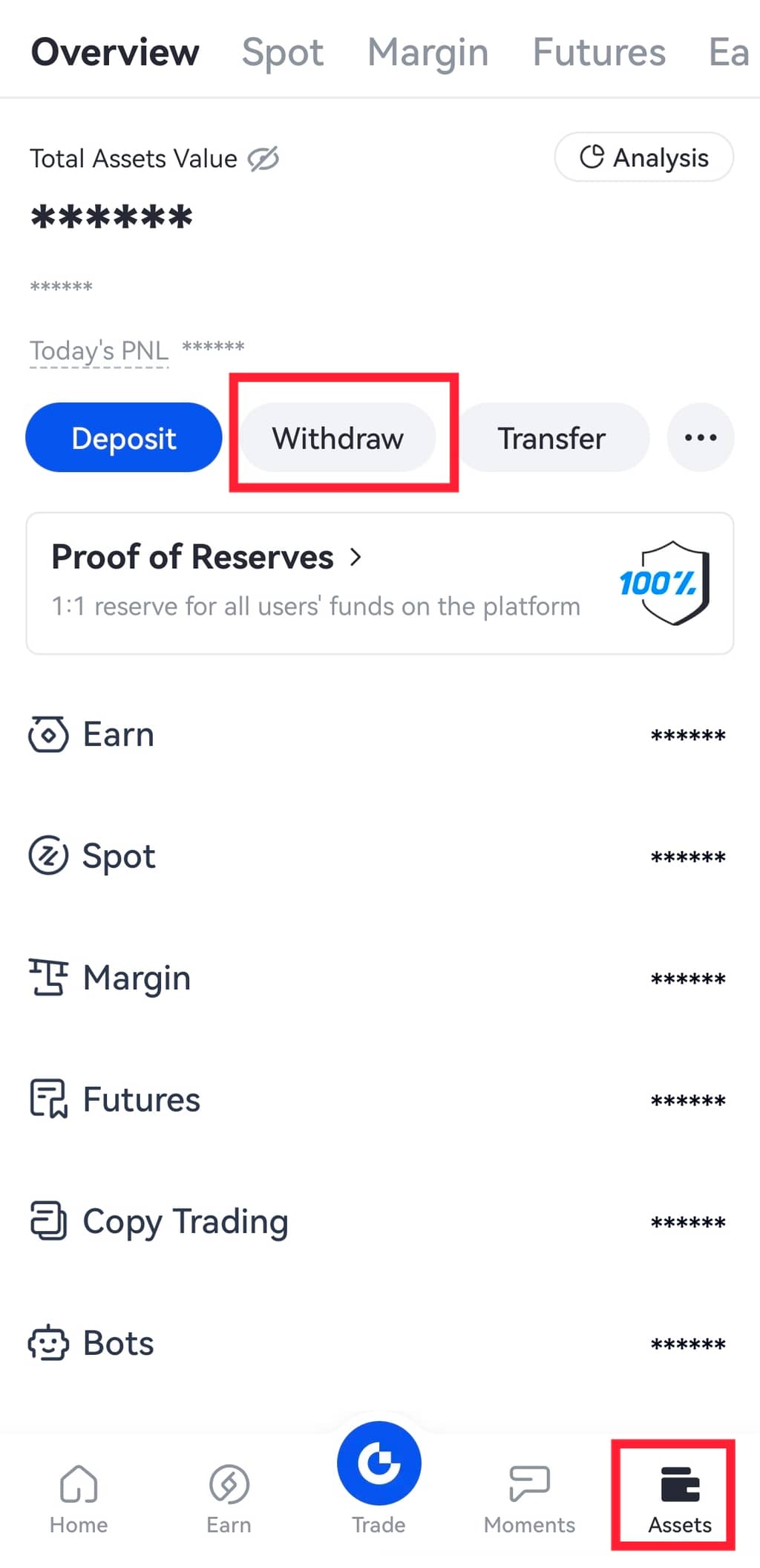
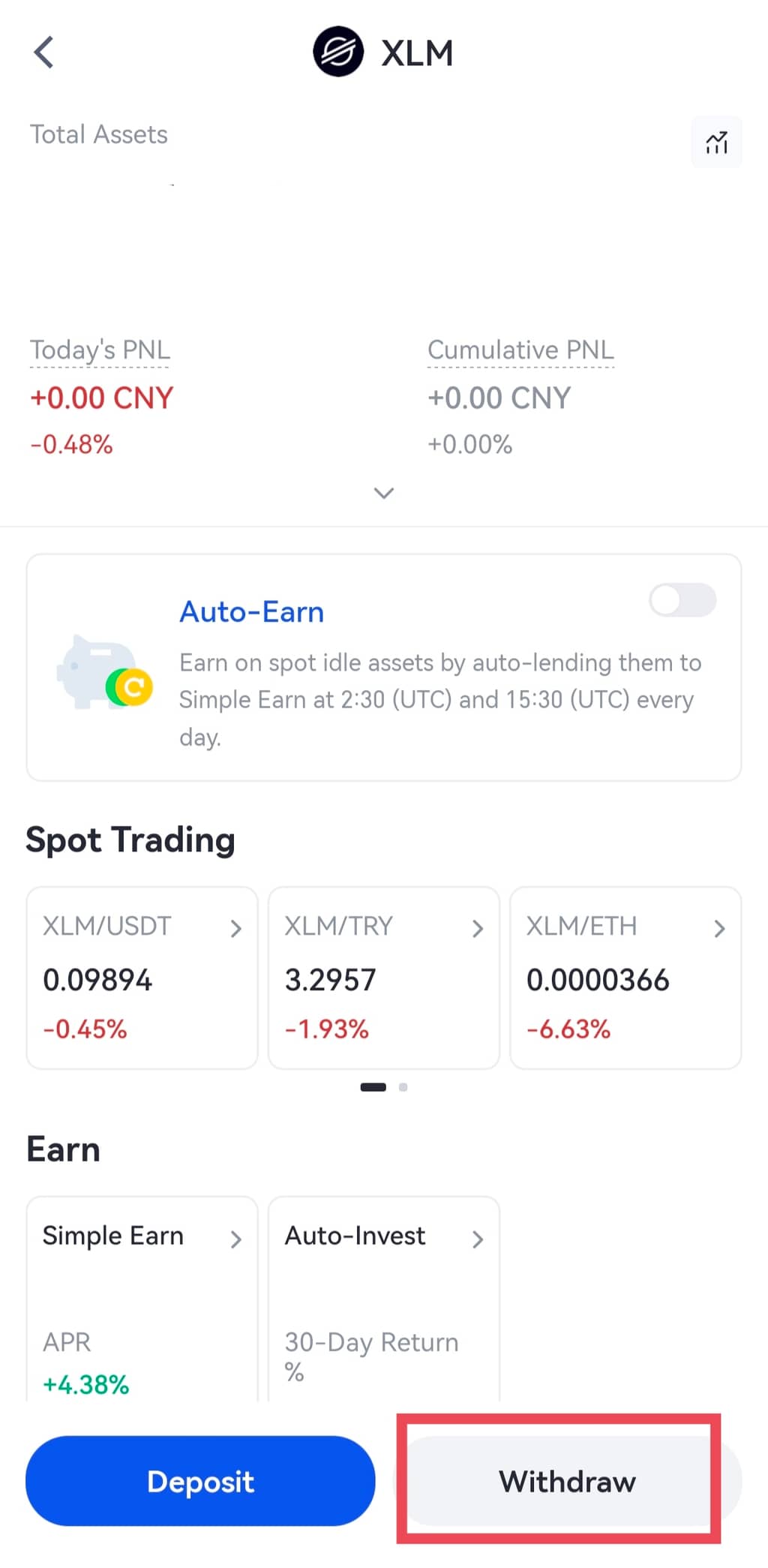
Кроме того, вы также можете перейти в раздел "Спотовый счет". Введите и выполните поиск "XLM". Затем нажмите на кнопку "Вывод".
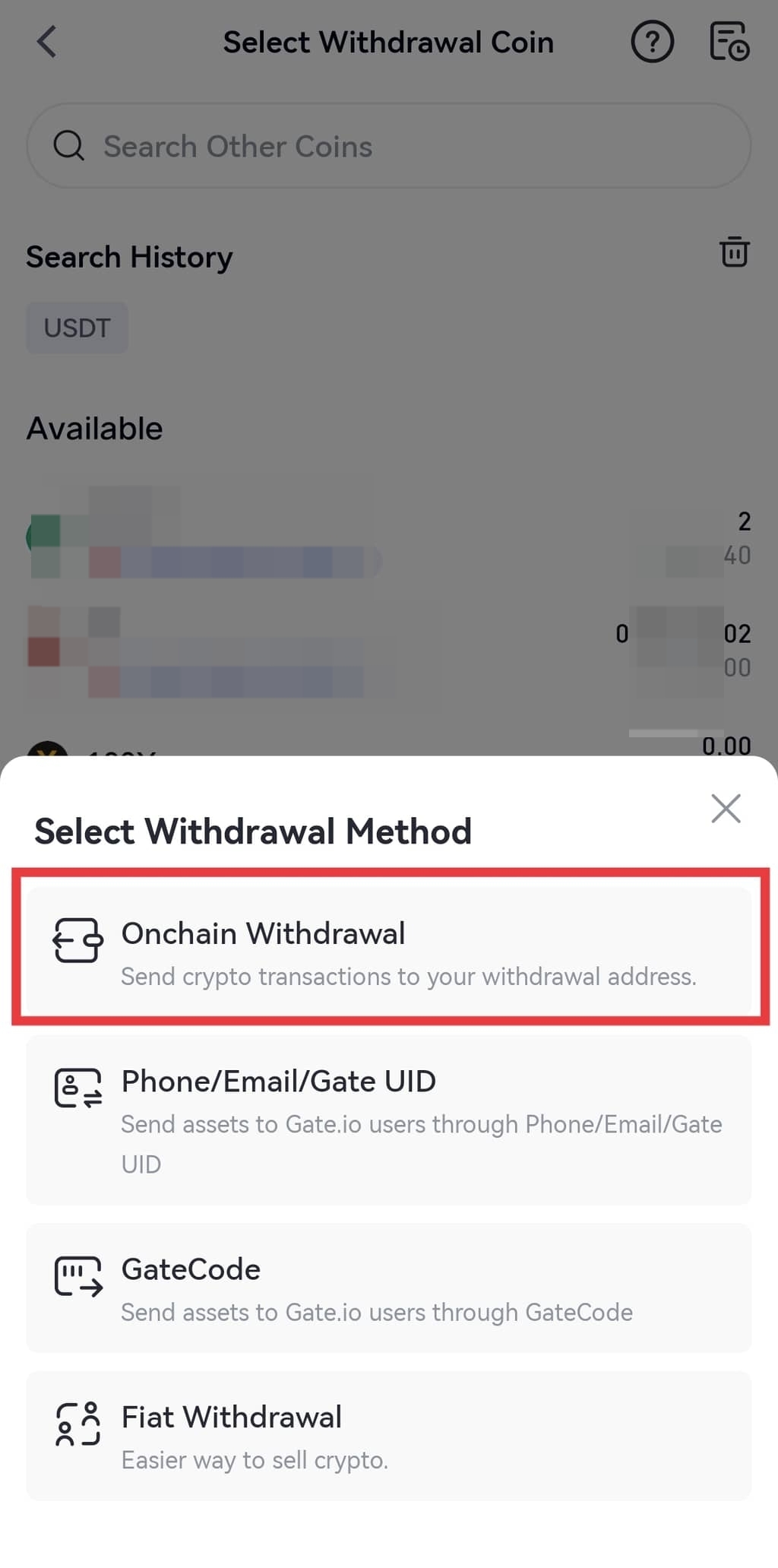
Шаг 2: Нажмите "Вывод средств ончейн" и выберите сеть.
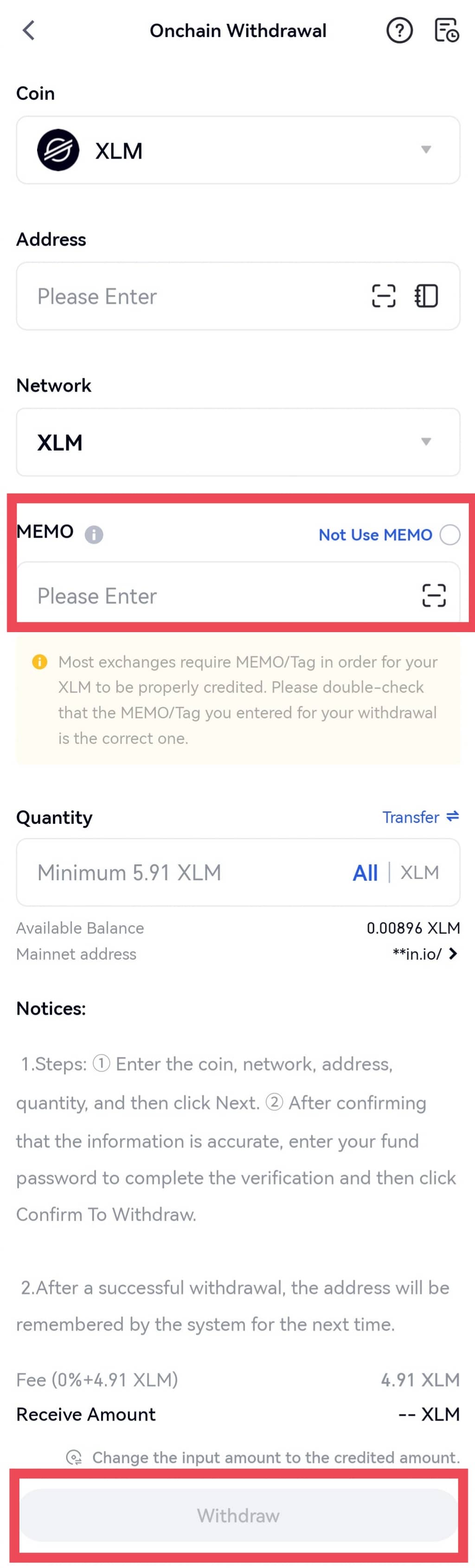
 Шаг 3: На странице "Вывод ончейн" введите правильный адрес, сумму для вывода и правильную memo, затем нажмите "Вывести".
Примечание: Не включайте опцию "Не использовать memo".
Шаг 3: На странице "Вывод ончейн" введите правильный адрес, сумму для вывода и правильную memo, затем нажмите "Вывести".
Примечание: Не включайте опцию "Не использовать memo".
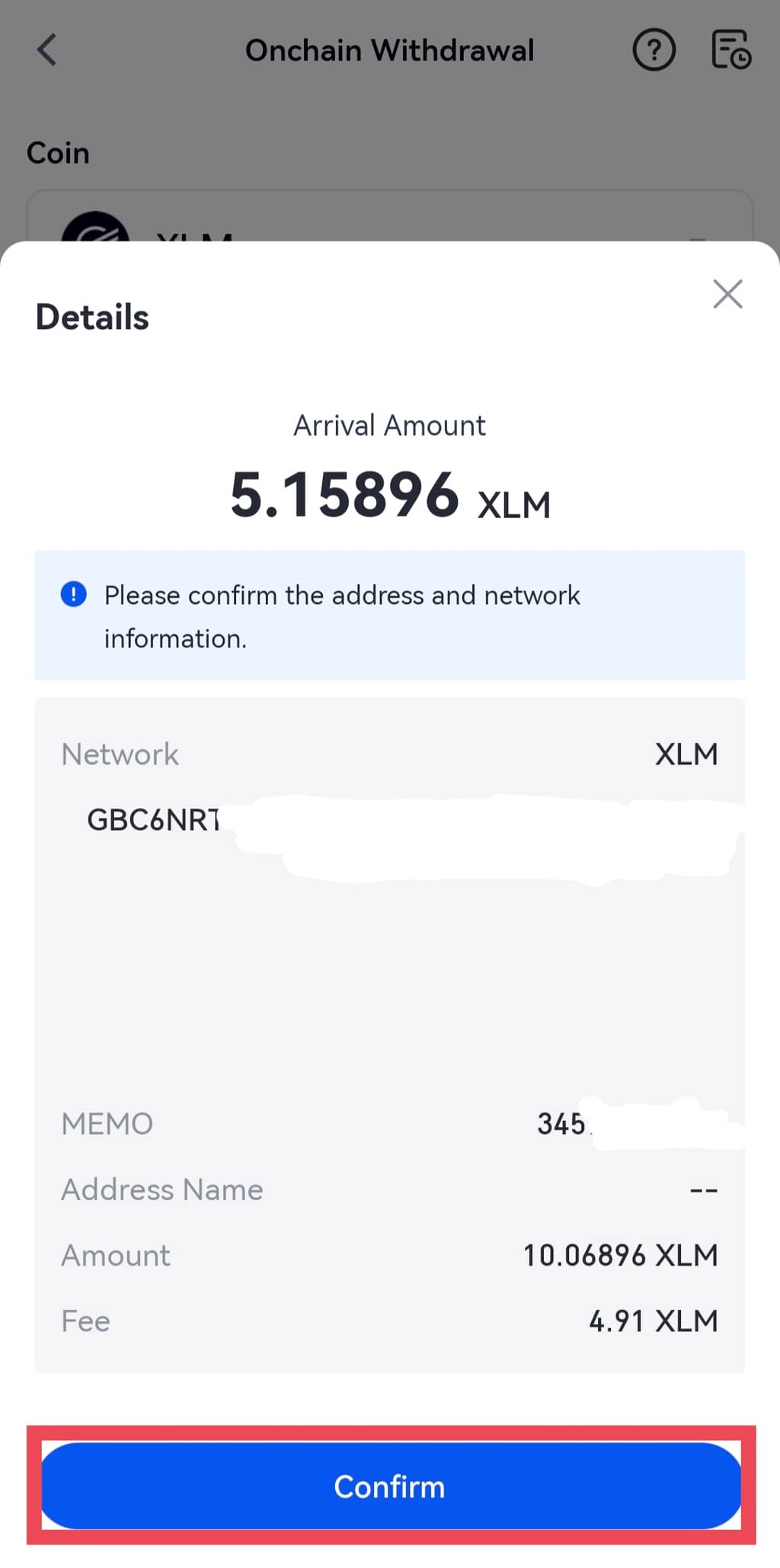
Шаг 4: Если вся информация верна, введите пароль фонда, SMS-код и код аутентификации Google. Затем нажмите "Подтвердить".
Шаг 5: После завершения вывода средств нажмите на значок бухгалтерской книги в правом верхнем углу, чтобы просмотреть информацию о выводе средств.
Примечание:
(1) Memo/тег должны быть введены в поле “Memo/тег” на странице вывода средств, если вам необходимо ввести Memo/тег.
(2) Если вы внесли депозит на адрес, указанный на сайте Gate, без ввода Memo/тега, вам необходимо отправить заявку, указав свой UID, скриншот, показывающий, что вы успешно внесли монету, правильную Memo/тег и значение хэша в текстовом формате. Наши агенты по работе с клиентами решат этот вопрос как можно скорее.
Содержимое, представленное здесь, предназначено только для справочных и образовательных целей и не является финансовой, инвестиционной, торговой или юридической консультацией, а также не представляет собой предложение или призыв к покупке или продаже каких-либо цифровых активов. Gate не дает никаких явных или подразумеваемых гарантий относительно точности, полноты или актуальности информации, содержащейся в этом материале. Функционал продукта, интерфейсы, правила и структура комиссий могут быть обновлены или изменены в любой момент. Для получения самой точной информации ознакомьтесь с последними объявлениями и фактическими данными, отображаемыми на платформе Gate.
Инвестиции в цифровые активы связаны с существенными рисками, их стоимость может значительно меняться. Вы можете потерять всю сумму своих вложений. Принимайте решения осознанно, учитывая собственное финансовое положение и уровень допустимого риска, после полного ознакомления со всеми сопутствующими рисками. При необходимости рекомендуется проконсультироваться с независимым профессиональным финансовым или юридическим консультантом.
Для получения дополнительной информации о возможных рисках ознакомьтесь с Раскрытием рисков и Пользовательским соглашением Gate.
